Share

Latest episode

23. The Smart Home Is a Listening Post: Amazon, Google, and the Surveillance You Paid For
24:34||Season 1, Ep. 23Most people think of their smart home devices as tools they control. They're not. Echo speakers, Ring cameras, smart TVs, and Google Nest devices are surveillance nodes operated by companies whose business model depends on the data they generate — stored on infrastructure you don't own, accessible to law enforcement through legal channels you didn't agree to, and governed by policies that can change without your consent. In March 2025, Amazon removed the local voice processing option from Echo devices. In February 2026, the FBI recovered footage from a Google Nest camera that had been thought to be offline. This episode documents what each major smart home ecosystem actually does with your data — and what you can do to reduce the exposure.Key Settings to Change Right NowAmazon Echo / Alexa:Alexa App → More → Settings → Alexa Privacy → Manage Your Alexa Data → enable "Don't Save Recordings"-Set voice history auto-deletion to 3 months-Delete voice history manually at: alexa.amazon.com Alexa App → More → Settings → Account Settings → Amazon Sidewalk → **toggle off**Do not place Echo devices in bedrooms, home offices, or rooms where sensitive conversations occurRing:Ring App → Control Center → Law Enforcement → review and configure sharing settingsFor warrant-required camera alternatives: Arlo, Apple Home Camera, Wyze, Eufy (Anker)Smart TVs:Samsung: Settings → Support → Terms & Policies → disable "Viewing Information Services"LG:Settings → All Settings → General → Additional Settings → disable "Live Plus"Vizio: Menu → System → Reset & Admin → disable "Smart Interactivity"Sony → Settings → Device Preferences → Usage & Diagnostics → disable; also Settings → Apps → See All Apps → SambaTV → disable or uninstallGoogle NestGoogle Home App → Account → Privacy settings → review recording and storage settingsEnable two-step verification on your Google accountReview and delete camera history in Google HomeHome Network HardeningSegment IoT devices onto a separate network: put all smart home devices (Echo, Ring, smart TVs, thermostats, cameras) on a dedicated network isolated from your computers, phones, and storage. Guest network is the easy entry point; a dedicated IoT VLAN with firewall rules (allow internet, block LAN) is the proper approach. Note: full VLAN segmentation breaks mDNS-dependent integrations (Chromecast, Sonos, HomeKit, Matter) unless you configure mDNS bridging.Add DNS-level blocking at the router — configure NextDNS or Pi-hole as your router's DNS server to block adtech, tracking, and data broker domains across every device on the network — including smart TVs, Alexa, and Ring — without per-device configuration.Hardware option: Firewalla — a dedicated network security appliance that plugs between your modem and router. Provides per-device traffic monitoring, DNS-level blocking, intrusion detection, and IoT segmentation through a mobile app. No router replacement required.Two things to do this week. First: find your smart TV's ACR setting and turn it off — five minutes, done. Second: check whether your router supports a separate guest or IoT network. Put your smart home devices on it. That one step limits what a compromised Echo or smart TV can reach on the rest of your network.If you want to go further, add NextDNS or Pi-hole as your router's DNS — fifteen minutes, whole-network coverage without touching a single device setting.None of these are the default. That's not an accident.All the settings and tools are in these notes.Head to OPSECPodcast.com for everything else.Your privacy and your security is your responsibility.
More episodes
View all episodes
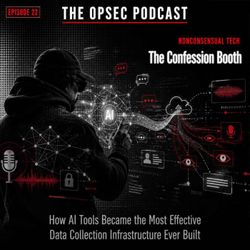
22. The Confession Booth: How AI Tools Became the Most Effective Data Collection Infrastructure Ever Built
27:36||Season 1, Ep. 22AI assistants have been positioned as productivity tools. Structurally, they are the most sophisticated data collection interfaces ever built — ones that convince users to voluntarily disclose their most sensitive information in the form of natural language conversation. This episode covers what ChatGPT, Gemini, and Copilot actually do with your data, the corporate exposure epidemic (77% of employees are transmitting sensitive data to AI tools), how AI has supercharged the data broker industry through psychographic inference, and the government access problem that no privacy setting can fully solve.Key Stats- 4% of AI prompts and 20% of file uploads contain sensitive information (Harmonic Security, 2025)- 3 million sensitive records exposed per organization by GenAI tools in H1 2025- 77% of enterprise employees leak sensitive data via AI tools- 67% of AI tool interactions happen on personal accounts IT cannot monitor- 802,000 files at risk per organization in Microsoft 365 environments (Copilot access surface)- 16% of business-critical Microsoft 365 data is overshared- Psychographic AI inference: 70%+ accuracy predicting political, religious, psychological traits from behavioral data- OpenAI privacy audit score: 48/100 (Grade D), 2026Settings to Change Right Now:- ChatGPT: Settings → Data Controls → disable "Improve the model for everyone"- ChatGPT: Settings → Personalization → Manage Memory → audit and delete stored facts- ChatGPT: Use Temporary Chat for sensitive queries- Gemini: myaccount.google.com → Data & Privacy → Gemini Apps Activity → turn off- Copilot: Microsoft account privacy dashboard → review AI data settingsKey Takeaways- AI interfaces are designed with conversational warmth specifically because it increases disclosure — that design is a data collection strategy- Deletion does not guarantee destruction: the May 2025 federal court order proved ChatGPT "deleted" conversations can be preserved under legal hold- Default on every major AI platform is collection; opt-out requires navigating settings most users don't know exist- The corporate exposure problem is structural — 67% of AI usage happens on personal accounts IT cannot see- AI psychographic inference manufactures sensitive personal data from behavioral signals — no explicit disclosure required- Privacy-respecting alternatives exist: Confer and Lumo for cloud AI, Ollama for local maximum-security work- Three-tier framework: Confer or Lumo → Ollama for sensitive work → commercial platforms only when the trade-off is consciously acceptedEvery prompt you type into ChatGPT, Gemini, or Copilot is a data transmission you didn't think of as one. The lawyer who pasted in the brief. The HR director who described the investigation. The founder who uploaded the cap table. None of them made a mistake by their own understanding — but they all made one.Stop treating AI interfaces as private spaces. They are not. Use the tools that were actually built to be — and make that decision before the conversation you can't afford to have retained.Your privacy and your security is your responsibility.
21. Know Your Threat Level: GrapheneOS vs. SovereignOS — Which One Should You Actually Be Running?
42:20||Season 1, Ep. 21SovereignOS is a fork of GrapheneOS — Spicy Corp took the gold standard of open-source mobile security and gave it what they call "the Shelby treatment." Like Carroll Shelby re-engineering the Mustang into the GT350, they stripped attack surfaces at the kernel level, replaced stock Google branding, and added operational capabilities GrapheneOS was never designed to include. This episode covers what each system actually does, where each has the edge, and the three-tier decision framework for choosing the one that matches your real threat level.Key ResourcesGrapheneOS — Official Site & Web Installer (https://grapheneos.org)GrapheneOS Features Overview (https://grapheneos.org/features)GrapheneOS Installation Guide (Web Installer) (https://grapheneos.org/install/web)SovereignOS — Spicy Corp (https://spicycorp.com)GrapheneOS in 2026: An Honest Review — Noctis Privacy (https://noctisprivacy.com/blog/grapheneos-review-2026)GrapheneOS Advanced Privacy Features Guide 2026 (https://www.live-laugh-love.world/blog/grapheneos-advanced-privacy-features-guide-2026/)GrapheneOS vs. SovereignOS: The Shelby Treatment for Secure Phones — Spicy Corp (https://spicycorp.com/2025/07/10/grapheneos-vs-sovereign-os-the-shelby-treatment-for-secure-phones/)SovereignOS Phone — Product Page (Spicy Corp) (https://spicycorp.com/product/sovereignos-phone/)The Three-Tier Decision FrameworkTier 1 — Surveillance Capitalism: GrapheneOS. Free, open source, eliminates Google tracking, hardened exploit mitigations.Tier 2 — Elevated Targeting: GrapheneOS with hardened configuration; consider SovereignOS if facing realistic device seizure risk.Tier 3 — Active Adversarial Engagement: SovereignOS. Anti-forensics, covert identity management, silent SMS detection, security temperature modes.GrapheneOS Key CapabilitiesHardened memory allocator (defeats heap corruption exploit classes)MTE hardware memory safety (Pixel 8+)Per-app network and sensor permissionsStorage Scopes (granular file access control)Vanadium hardened browserSandboxed Google Play (optional)Full open-source codebase — fully auditableFreeSovereignOS Key CapabilitiesFork of GrapheneOS — inherits the full GrapheneOS security foundation, then adds operational layerUSB data and developer options removed at the kernel level (not disabled — removed)All telemetry endpoints stripped, including "anonymous" onesPIN-to-profile routing (covert identity management, hidden profile switcher)Private Space — hidden app container, separate from profile routingSentry — dedicated tool protecting against unauthorized access attemptsComms Installer — provisions secure comms stack (Signal, SimpleX, Element) at install from developer sourcesMultiple wipe triggers: USB connect, Faraday detection, inactivity, failed unlock, duress password (silent wipe — no "ERASING" text)Silent SMS detection (Type 0 / flash SMS — not available in stock GrapheneOS)GPS location spoofing / network fingerprint maskingSecurity temperature modes (Mild / Medium / Hot — one slider, 30+ settings)Stealth branding — stock Google boot animation, no custom OS identifiers visibleATAK plugin support / Meshtastic compatibilityExplicit threat defenses: Pegasus, NoviSpy, stalkerware, RATs, banking trojans, rootkits, zero-daysHardware: Pixel 8 through Pixel 10 series (10 models supported)$249.99–$299.99 BYOD, one-time no subscription — spicycorp.comIf you are still running stock Android as a daily driver, it's time to level up!Everyone benefits from GrapheneOS. Some require the high performance of SovereignOS.It is time to get serious and make a decision, because your privacy and your security is your responsibility.
20. COVERT Protocol Action #10: Segment your Online Personas
06:41||Season 1, Ep. 20Deliberately create separate digital identities or “personas” for different parts of your online life so that your personal information, behavior, and interactions don’t all link back to a single profile. This reduces linkage between activities (shopping, social, work, banking, etc.), limits how much data ad networks and trackers can build about you, and helps contain exposure if one profile is compromised. Creating segmented personas also supports pseudonymization (using alternative identities instead of your real personal details) to minimize privacy risk.Steps to Segment your Online Personas:1. Define your primary digital roles, ie personal, work, banking.2. Create unique contact identifiers for each persona, Name, location, email, login credentials.3. Use alias tools to manage identities, ie MySudo, Cloaked, etc.4. Maintain compartmentalization, ie Separate browsing contexts, computer profiles, or devices.5. Review regularly and update as needed.Recommended tools:MySudo - lets you create multiple distinct Sudos (digital profiles) with separate email, phone, and payment details so you can use a different identity for each online purpose without exposing your real contact information.Cloaked - generates unique alias identities (email, phone number, and contact info) for each online service so your real personal details aren’t shared or tracked, helping compartmentalize your online presence.IronVest - privacy-centric browser extension and masking tool that helps block trackers and pseudonymize interactions (including generating proxy info), making it easier to separate and protect different online personas.
19. COVERT Protocol Action #9: Harden your Home Network
10:01||Season 1, Ep. 19Strengthen your home network so that your router and connected devices are resilient against attacks, unauthorised access, and privacy invasions. This includes upgrading to more secure firmware, encrypting local and internet traffic, and creating network-level protections that block unwanted connections whileallowing only legitimate ones. A hardened home network reduces the risk of compromise for all devices connected to it.Steps to Harden Your Home Network:1. Upgrade your router firmware or hardware: Replace or upgrade your existing router with one that supports secure, up-to-date, customizable firmware such as OpenWRT, which provides advanced security features, more frequent updates, and strong configuration options compared to many stock router firmwares.2. Enforce strong Wi-Fi encryption: On your router (especially one running OpenWRT), enable current security standards such as WPA3 or at least WPA2 for wireless networks. Older unsecured modes greatly increase vulnerability to eavesdropping.3. Set strong administrative credentials: Change the default router admin password to a unique, strong passphrase and disable remote administration over the internet. Default credentials are easily discovered and exploited.4. Configure network-level VPN: Install and configure a VPN connection at the router level so that all traffic leaving your home network is encrypted and protected from eavesdroppers on public networks and your ISP. Router-level VPN ensures devices that don’t natively support VPN software still benefit from encrypted internet traffic.5. Segment your network: Create separate network segments or VLANs for trusted devices, guests, and IoT devices so that a compromise in one segment (e.g., insecure IoT) does not easily spread to other critical devices.Recommended tools:OpenWRT routers -GL.iNet Flint 3 (GL-BE9300) - Tri-band Wi-Fi 7 Home RouterGL.iNet Slate 7 (GL-BE3600) - Dual-band Wi-Fi 7 Travel Router
18. COVERT Protocol Action #8: Audit and Clean Your Online Exposure
08:07||Season 1, Ep. 18Systematically reduce your publicly visible personal information by identifying where your data appears online (search engines, data brokers, people-search sites) and using services to request removal or opt-out, so third parties and automated systems can’t easily collect, sell, or expose your PII. This step helps protect against spam, identity theft, unsolicited marketing, and malicious activity such as doxxing.Steps to scrubbing your online footprint:1. Scan for exposure: Search major search engines (e.g., Google) for your name, email, phone number, and other PII to see what’s publicly visible. Note where your data appears.2. Use a removal service: Sign up for a data removal service to automate opt-out requests to data brokers and people-search sites that hold or publish your personal information.3. Submit opt-out requests: Depending on the service, you may need to confirm the data to remove or authorize the provider to act on your behalf.4. Verify removal: After the service processes requests, check periodically (every few months) to confirm your data has been removed or suppressed, and resubmit if necessary.5. Monitor ongoing exposure: Some services continually monitor your footprint and renew removal requests as new records appear.6. Repeat periodically: Online exposure evolves over time; schedule regular scrubs to maintain a minimised digital footprint.Recommended tools:Pentester.com: primarily a vulnerability and digital footprint scanner that helps discover compromised credentials or exposed data, and can be used to identify where your personal information might be leaking online.DeleteMe a long-established privacy service that contacts data brokers and people-search sites on your behalf to remove your personal information; it covers hundreds of brokers with ongoing updates.Incogni: a comprehensive personal information removal service that scans numerous data broker sites and submits removal requests, often including coverage of many niche or lesser-known sources.
17. COVERT Protocol Action #7: Harden your Devices
14:19||Season 1, Ep. 17Harden your Devices: strengthen the security and privacy of your phones, tablets, laptops, and desktop computers by reducing their attack surface, protecting stored data, and blocking common threats. This includes encrypting data at rest, securing network traffic, tightening web browsing, and using malware protection. Hardened devices are much safer if lost, stolen, or actively targeted.Steps to Harden Your Devices:1. Enable full disk encryption (FDE): Turn on encryption for your device’s storage so that data isunreadable without your passcode, even if the device is lost or stolen. Most modern OSes allowthis (e.g., BitLocker on Windows, FileVault on macOS).2. Use a VPN connection: Install and configure a reputable Virtual Private Network (VPN) on eachdevice. This encrypts your network traffic when you are on untrusted Wi-Fi or public networks,making it harder for attackers to intercept your communications. 3. Harden your browser: Choose a browser that respects privacy, or harden Firefox yourself. Enforce HTTPS for secure connections.Install privacy/security extensions (e.g., script blockers, ad blockers) to reduce tracking and malicious content. Regularly clear cookies and site data. This reduces exposure to trackers and exploitation.4. Harden you device: Keep software updated. Install antivirus/anti-malware software. Remove unnecessary software. Use least-privilege accounts. Review privacy/security settings. Back up your dataRecommended tools:Privacy Browsers: Brave, LibreWolf, DuckDuckGo Private BrowserBrowser Extensions: NoScript, uBlock Origin, Firefox Multi Account ContainersVPN Service: Proton, Mulvad, NordVPNAntivirus Software: Bitdefender, Avira, Malwarebytes