Share

Tax Software for CA
Easy and Simple Process to Importing GSTR 9 Table 8A in 2A Via Gen GST Software
•
GSTR 9 Table 8A is a significant section for taxpayers as it has auto-populated features along with the eligible ITC details related to the complete financial year from the relevant GSTR 2A return. If you want to know how to import GSTR 9 Table 8A into 2A using Gen GST Software, please follow these step-by-step instructions. We have included a total of 9 screenshots for your reference. https://blog.saginfotech.com/import-gstr-9-table-8a-data-2a-gen-gst-software
More episodes
View all episodes

How to Summarize Directors’ Reports Using Balance Sheet Software
01:47|This article outlines how balance sheet software can be used to summarize the Directors’ Report. As a key part of a company’s annual financial statements, the report helps stakeholders understand its performance, financial position, risks, opportunities, and future prospects. The Directors’ Report is a vital component of these statements, and here we explain how balance sheet software helps prepare and summarize it efficiently. Read more: https://blog.saginfotech.com/how-balance-sheet-software-summarises-directors-report
Step-by-Step Guide to Import and Export Data Using Gen TDS Software
01:29|SAG Infotech has published an informative blog post focusing on a practical solution for taxpayers and employees. The Gen TDS software is a specialized tool designed specifically for tax deduction at source (TDS) within the finance sector. This software, created by SAG Infotech, simplifies the process of filing TDS and Tax Collected at Source (TCS) returns. By automating various steps, Gen TDS significantly reduces the complexity of compliance and streamlines the return filing procedure, making it more efficient for users. Click the link below for more information: https://classifiedsforfree.com/d/10446307
India Notifies New ITR Forms (ITR-1 to ITR-7) for AY 2026–27
02:45|On March 30, 2026, the Indian government rolled out new Income Tax Return (ITR) forms, designated as ITR-1 through ITR-7, for the Assessment Year 2026–27. These forms cater to a range of taxpayers, including individuals, pensioners, and professionals. Taxpayers are encouraged to select the appropriate forms to submit their returns by the deadline of July 31, 2026. As the income tax filing season approaches, it's important for taxpayers to be aware of the newly announced ITR forms to ensure timely compliance. Read Also: https://sag-infotech.mozellosite.com/blog/params/post/5231870/tax-filing-itr-1-7-forms-ay-2026-27
How ITR Filing Software Checks Previously Filed Returns
02:07|The process of filing an online ITR has evolved from a routine task into a data-driven activity. Advanced income tax return (ITR) software not only facilitates return filing but also performs detailed analysis of previously submitted data to identify patterns, highlight discrepancies, and improve accuracy. It also provides updates on filing status and offers useful insights for better tax compliance. Whether a taxpayer is filing individually or collaborating with a tax expert, these intelligent features simplify complex procedures and help reduce errors. Read more - https://blog.saginfotech.com/how-itr-software-reviews-previously-filed-returns
Gen Complaw Software for Creating XBRL Resolutions for MSI Reports
02:45|SAG Infotech’s Gen Complaw is a powerful software solution that enables users to file ROC/MCA Version 3 e-forms and create XBRL resolutions for MSI reports. It supports a complete XBRL e-filing process in a single workflow, minimizing the risk of errors.In line with the Companies Act, 2013, the software also helps maintain a fixed assets register in compliance with all statutory requirements. Click here to read more information: https://www.locanto.org/jaipur/ID_6458567713/Gen-Complaw-Software-for-Filing-of-ROC-V3-E-Forms.html
Gen Balance Sheet Software: An Easy-to-Use Essential Tool for Tax Professionals
01:35|Gen Balance Sheet Software is a comprehensive financial tool designed to simplify key business and accounting processes in the financial industry. Developed by SAG Infotech Private Limited, it is widely used by accountants and tax professionals for its efficiency and ease of use.The software streamlines the preparation of essential financial statements, such as Balance Sheets and Profit & Loss accounts. It also allows users to import financial data from popular third-party accounting tools like Tally, Busy, and Excel, helping save time and minimize the risk of errors. Explore more details, click here: https://www.storeboard.com/products/computers/software/gen-balance-sheet-software-for-auditors-and-cas/284134
Complete Guide to How Balance Sheet Software Works with Tax Audit Form Schema
01:27|In today's digital landscape, it's essential for every business to understand how balance sheet software functions in relation to tax audit form schema. All companies and professionals are mandated to file their financial information in a standardized format, such as the tax audit report. To effectively manage this requirement, business and tax professionals should invest in high-quality balance sheet software designed for the tax audit form schema. This guide provides a comprehensive, step-by-step approach to utilizing such software, highlighting how it can facilitate compliance with tax regulations and streamline the auditing process. By following these steps, businesses can ensure they meet necessary requirements efficiently and accurately. https://blog.saginfotech.com/tax-audit-form-schema-balance-sheet-software
How ITR Software Helps Prepare Company Balance Sheet and P&L in the New Format
01:28|In this article, we explain how ITR software prepares the Balance Sheet and Profit & Loss account in the new format. The balance sheet is one of the most important financial statements for any company. This blog highlights how ITR software helps generate Balance Sheet and P&L statements efficiently, reducing manual effort and simplifying the overall process. Read more to gain detailed insights into the company balance sheet. https://blog.saginfotech.com/balance-sheet-pl-format-how-itr-software-prepares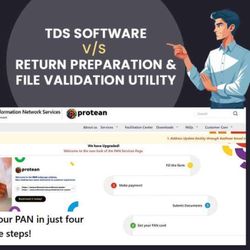
RPU & FVU vs TDS Software: Which One Should You Choose?
01:56|When handling TDS return filing, multiple tools are available, including the Return Preparation Utility (RPU), File Validation Utility (FVU), and TDS/TCS software. While these options are designed to simplify the filing process, they differ in usability, features, and efficiency. RPU and FVU follow a sequential approach, where users first prepare the return using RPU and then validate it through FVU. On the other hand, TDS return filing software provides an integrated platform that manages the entire process from data entry and validation to error correction and report generation within a single system. Read More - https://blog.saginfotech.com/return-preparation-file-validation-utility-vs-tds-software